Best Tools to Organize Content in 2026: Why Video Creators Are Switching from Notion & Trello to GrowIT
Struggling to manage video ideas, scripts, and filming schedules across messy Notion databases or generic Trello boards? Discover why short-form video creators are switching to GrowIT's purpose-built Content Board.
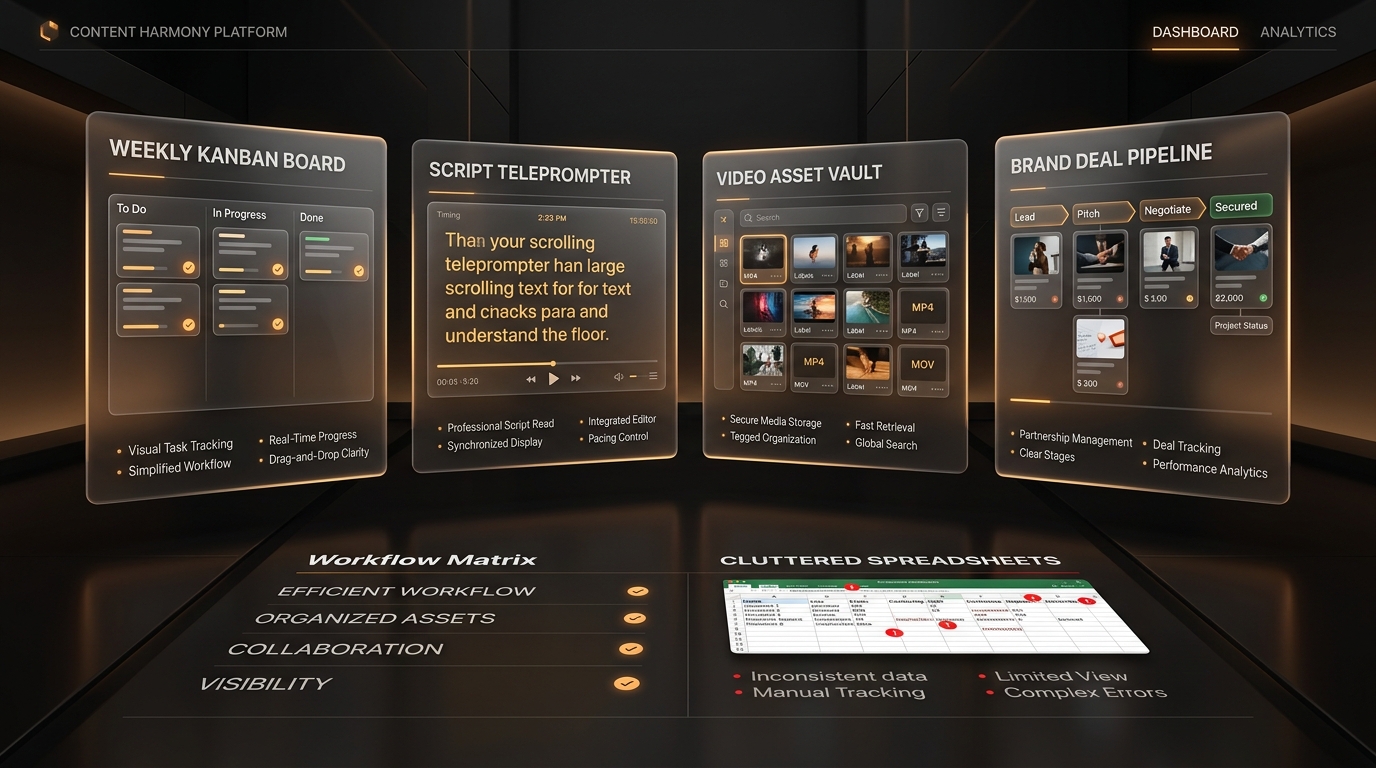
Generic project management platforms like Notion, Trello, and Airtable were engineered for corporate software teams and text documentation, forcing creators to waste 15+ hours building fragile templates that lack video retention intelligence. GrowIT is a purpose-built Creator Operating System featuring an automated 7-Day Sprint Content Board. It locks every concept to your Creator DNA pillars, integrates 1-click psychological hook generation, tracks visual production stages (Raw Idea -> Scripted -> Filmed -> Edited -> Scheduled), and connects directly to social retention analytics.
Key Takeaways:
- Notion and Trello require 10–20 hours of manual setup and provide zero native short-form scripting or hook intelligence.
- GrowIT's Content Board is purpose-built for video workflows: tracking assets through Idea, Scripted, Filmed, Edited, and Scheduled.
- Every concept in GrowIT automatically links to your 3 Creator DNA pillars, preventing off-brand creative distraction.
- Integrated Hook Helper allows creators to draft 5 psychological opening angles directly inside their planning board.
Field Perspective
Between Common Habits and Tested Methodology
The Template Trap: Spending More Time Tweaking Notion Than Filming
Creators buy complex $49 Notion templates with dozens of relational tables. Within 2 weeks, maintaining the dashboard becomes an exhausting chore. You end up with 40 unfinished notes, scattered Google Docs, and zero videos filmed.
Zero-Friction Content Board Powered by Creator DNA
A visual video pipeline ready on day one. Organize your weekly 90-minute batching sprints, filter ideas by your core pillars, and generate tested psychological hooks without leaving the board.
Why Generalist Productivity Apps Break Down for Video Creators
Generalist productivity tools fail creators because they lack video production constraints:
The Blank Canvas Paradox
Notion presents an empty document that triggers decision paralysis before scripting even begins.
The Non-Linear Production Disconnect
Spreadsheets treat video like a text task, ignoring footage states (A-roll filmed, B-roll missing, voiceover rendered).
The Data Isolation Barrier
Writing scripts in an isolated document detached from real social analytics leads to repeating low-retention mistakes week after week.
73%
of creators who build complex Notion systems abandon them within 30 days due to maintenance overhead
3.8x
higher weekly posting consistency when using a dedicated video production pipeline
Inside the GrowIT Content Board: Engineered for 90-Minute Batching
The GrowIT Content Board is built specifically around the psychology of short-form video. Instead of treating tasks as generic to-do items, each card represents a high-retention video asset. A card encapsulates your targeted Creator DNA pillar, 3 candidate opening hooks from Hook Helper, bullet-point scripting blocks, and visual cue reminders. When filming day arrives, open the 'Ready to Film' column on your phone or tablet: your teleprompter prompts and bullet points are immediately accessible with zero cognitive clutter.
The 2026 Verdict: Which Tool Belongs in Your Creator Stack?
If you run an enterprise agency coordinating 50 corporate wiki documents, Notion remains a versatile documentation tool. If you manage traditional software development sprints with engineering backlogs, Trello is effective. But if you are a digital video creator publishing short-form content on TikTok, Reels, and Shorts who wants to eliminate creative burnout and scale output, GrowIT is the uncontested purpose-built solution. By integrating your Creator DNA, Hook Helper, and Content Board into a single frictionless pipeline, GrowIT turns chaotic posting into a predictable growth engine.
Step-by-Step Implementation
- 1
Step 1: Migrate Your Idea Backlog into GrowIT Content Board
Ditch your 5 scattered Notes apps. Import your top 10 raw video concepts directly into the Idea Vault column on your GrowIT Content Board. Assign each to one of your 3 Creator DNA pillars.
- 2
Step 2: Generate 3 Psychological Hooks for Each Concept
Click on any idea card to trigger Hook Helper. Generate contrarian, curiosity, and transformation openers. Pick the hook with the highest emotional tension and draft 3 bullet points for the body.
- 3
Step 3: Move 5 Scripts to 'Ready to Film' for Your Batching Sprint
Every Monday, drag your 4 to 6 finalized scripts into the 'Ready to Film' column. Your filming sprint is now fully prepped: lighting and mic setups are planned once, eliminating recording anxiety.
- 4
Step 4: Track Progress to 'Published' and Let AI Coach Guide Iteration
Move cards through Filmed, In Editing, and Scheduled. Once published, GrowIT's Connected AI Coach analyzes audience retention drop-offs, directly feeding winning angles into your next week's board.
Side-by-Side Comparison
| Evaluation Criteria | GrowIT Content Board | Notion | Trello / Spreadsheets |
|---|---|---|---|
| Purpose-Built for Video | Native video pipeline: Idea -> Scripted -> Filmed -> Edited -> Scheduled | Generic database; requires 10+ hours building custom relations | Generic Kanban lists designed for software bug tracking |
| Integrated Hook Generator | 1-click Hook Helper generates 5 psychological angles per card | None; must open ChatGPT and copy-paste prompts manually | None; manual note taking only |
| Creator DNA Pillar Guardrails | Automatically tags and balances Authority, Relatability & Discovery | Requires custom rollups and manual multi-select tags | Basic color labels with zero editorial intelligence |
| Setup Time to First Script | Under 60 seconds; pre-configured for short-form production | 5 to 20 hours designing, troubleshooting, or customizing templates | 1 to 2 hours setting up manual lists and checklists |
| Social Retention Feedback | Syncs with YouTube, TikTok, and Reels analytics to diagnose drop-offs | None; requires tedious manual CSV copy-pasting | None |
Frequently Asked Questions
Can I use GrowIT alongside Notion or Google Docs?+
Yes. Many creators keep general long-form notes in Notion while using GrowIT as their dedicated production engine for video scripting, weekly batching, retention analytics, and brand deals.
How does GrowIT help prevent creator creative burnout?+
Burnout occurs from daily context-switching: asking 'what should I post today?' every single morning. GrowIT separates ideation from recording into 90-minute weekly sprints, ensuring you always possess a 2-week backlog of pre-scripted videos.
Build your creator growth system today
Move from random posting to intentional growth with weekly planning, Hook Helper, and an optional Creator Passport.
Recommended Next Reads
Best AI Tools for Content Ideas & Viral Hooks in 2026: GrowIT Hook Helper vs ChatGPT vs Generic AI Writers
Tired of ChatGPT outputting robotic, textbook scripts that start with 'In today's digital world'? Discover why leading short-form creators use GrowIT Hook Helper to generate 5 psychological hook formulas with 65%+ 3-second retention.
The Best All-in-One Creator Platform in 2026: GrowIT vs The Fragmented 5-Tool Creator Stack
Spending $150+/month across Notion, ChatGPT Plus, Metricool, Linktree, and chasing brand deals in messy Instagram DMs? Compare the fragmented creator stack against GrowIT's unified operating system.